 Voice recorder for Android
Everything at a glance
The app's home screen has six tiles. Here is what is behind them.
Record
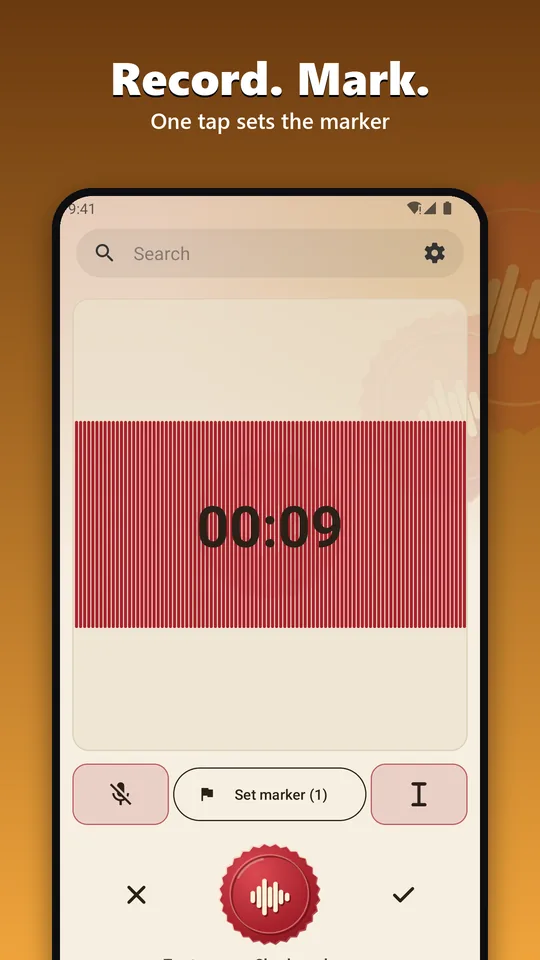
In m4a, ogg, mp3 or WAV, in the background and with the screen off, with pause and resume. WAV survives a crash or an empty battery.
Player partly Pro
Listen and jump to the markers. Changing the speed and repeating a section with the A-B loop are part of Pro.
Text Pro
Speech to text on your device. You read along, jump to the spot in the recording and edit the text like in a word processor.
Trim Pro
Cut off the start and the end, or remove silence at the ends and all pauses automatically, without re-encoding. The original stays untouched.
Import
Bring in your own audio files and treat them like a recording, also for converting to text.
Library and settings
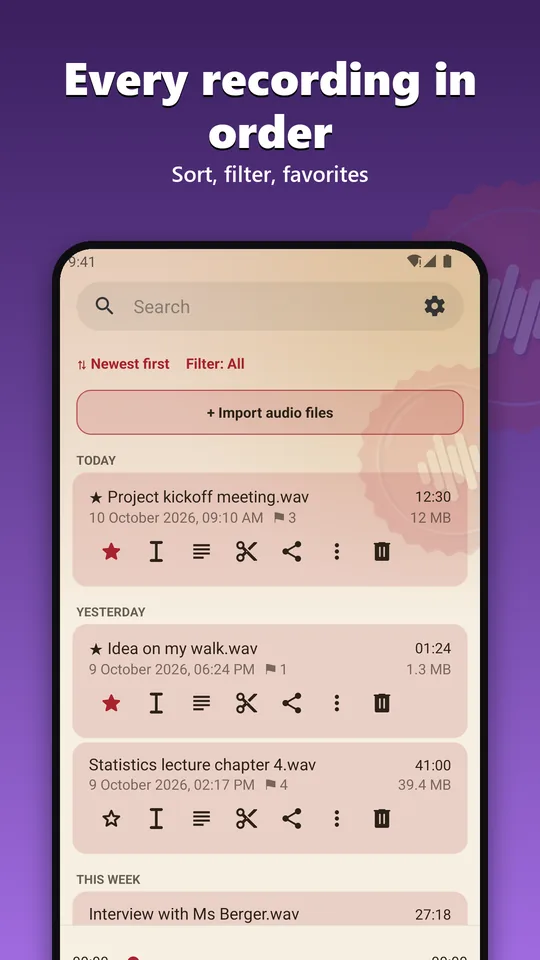
Sort, filter, search, favorites. Deleted recordings stay in the trash for 30 days. A widget starts recording from the home screen.
What the app looks like



Speech to text, entirely on your phone
We start with the schedule for the new project.
The first draft should be ready by the end of the month.
What matters to us is that the app works without ads and without an account.
Pro converts recordings to text without internet. No recording is uploaded. The list search also finds words in all transcripts.
- Download once, then offlineYou download the speech model (about 670 MB) once, best on Wi-Fi.
- What the phone needsA 64-bit device with at least 2.5 GB of memory.
- Tested: German and EnglishThe model knows 25 European languages, we have not checked the others. Recognition makes mistakes, especially with dialects, background noise and technical terms.
- It gets warmConverting is hard work for the phone. Do not charge it meanwhile.
- Automatically, if you likeNew recordings can be converted automatically, and you can import your own audio files.
- The text belongs to the recordingTranscripts are kept in the app storage, are deleted together with the recording and are excluded from cloud backup.
Four formats, and one of them survives a crash
You choose bitrate and sample rate freely. Recording also runs in the background and with the screen off.
| Format | What for |
|---|---|
| m4a | For every day: small, plays everywhere. |
| ogg (Opus) | Very small files with good speech quality. |
| mp3 | For old devices and programs that know nothing else. |
| WAV | Uncompressed, also in stereo. Survives a crash or an empty battery. |
Choose the microphone
Phone or headset, via Bluetooth, cable or USB.
Your own folder
By default recordings are kept in a protected app folder. If you like, you choose your own, SD card included.
Save and export
Save as, Export all, Rename and Share. Filenames follow a pattern that you set.
App lock
Optional, with fingerprint or screen lock.
Control it without opening the app
Pause and resume from the notification. A widget starts an instant recording from the home screen.
What people use it for
Memos, meetings, lectures, interviews. One tap on the seal starts recording.
What is free and what is Pro
If you only want to record, you do not need Pro. Pro is a one-time purchase, not a subscription.
Free
- Recording in all four formats
- Playback, showing markers and jumping to them
- Library, search, favorites
- Trash for 30 days
- Home screen widget
- Microphone choice, your own folder, app lock
Pro, one-time
- Speech to text on your device
- Set markers
- Trim, remove pauses, skip silence
- Playback speed from 0.5x to 2x and A-B repeat
- Edit the transcript: find and replace, undo, spell check
- Quick Settings tile
What the app does not do
- No ads
- No tracking
- No account, no sign-up
- No recordings that are sent anywhere
The app uses the network only for buying Pro through Google Play and for the one-time download of the speech model.
To be honest
Recordings are normal files and not encrypted. In the protected app folder other apps cannot reach them on Android 11 and newer.
From Android 10, Android asks on uninstall whether to keep the app data. If you answer no, the recordings in the app folder are gone.
Permissions
- MicrophoneFor recording, nothing else.
- NotificationsWhile recording and while converting to text, a notification shows that the app is working.
- BluetoothOnly if you choose a Bluetooth headset as microphone.
- Storage folderOnly if you choose your own folder.
Frequently asked questions
Does the app convert speech to text?
Yes, with Pro and on your device, without any recording being uploaded. You download the model (NVIDIA Parakeet TDT 0.6B v3) once from huggingface.co. We tested German and English.
What does the app need internet for?
Only for buying Pro through Google Play and for the one-time download of the speech model, if you want to use speech to text. No data and no recordings are sent.
In which countries is the app available?
Recorder Pur is on Google Play. The listing covers 35 countries where a language of the speech model is a national language.
Where does the source code come from?
Recorder Pur is a fork of Voice Recorder by FossifyOrg and, like it, is released under the GPL-3.0. We send the source code by email on request to support@digitale-manufaktur-rudolstadt.de.